


This guide explains SpotOnTask payment statuses and what to check when a task payment is still held, a released payment is not in a bank account, or a cash-out is delayed.
Task payment statuses
- Held: The task has been funded and the payment is held while the accepted work is completed.
- Released: The Poster approved completion and released the payment. The Worker's net amount is credited to their SpotOnTask balance.
- Disputed: A payment issue is under review. Do not assume either side has received the held funds.
- Refunded: The applicable amount was returned as part of a cancellation, refund, or dispute outcome.
Charged and Ready to release are not SpotOnTask task-payment statuses.
Payment is still Held after the work is finished
A held payment is not released merely because the Worker says the task is complete. The Poster must review the completed work and use the release action for the accepted task.
- Confirm the agreed work is complete and record any agreed scope changes in task chat.
- The Worker should send the Poster a clear completion message and evidence such as photos where appropriate.
- The Poster should inspect the result and release payment only when satisfied that the agreed task is complete.
- If the parties disagree, keep the payment on-platform and contact support with the task ID, messages, agreed scope, and evidence.
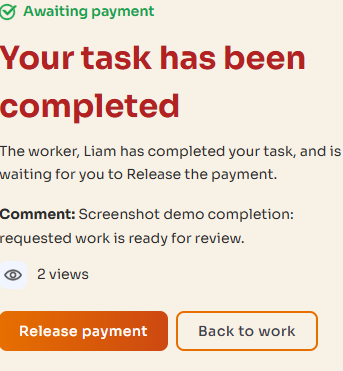
The Poster reviews the completed work before releasing payment. Use Back to work if agreed work remains incomplete.
Payment says Released but the money is not in the Worker's bank
Released does not mean paid to a bank account. Release moves the Worker's net task amount into their SpotOnTask balance. The Worker must then request a cash-out from Account -> Payment methods.
To cash out, the available balance must be more than $10, Stripe payout setup and a billing address must be complete, and two-factor authentication must be enabled. A cash-out uses the full available balance.
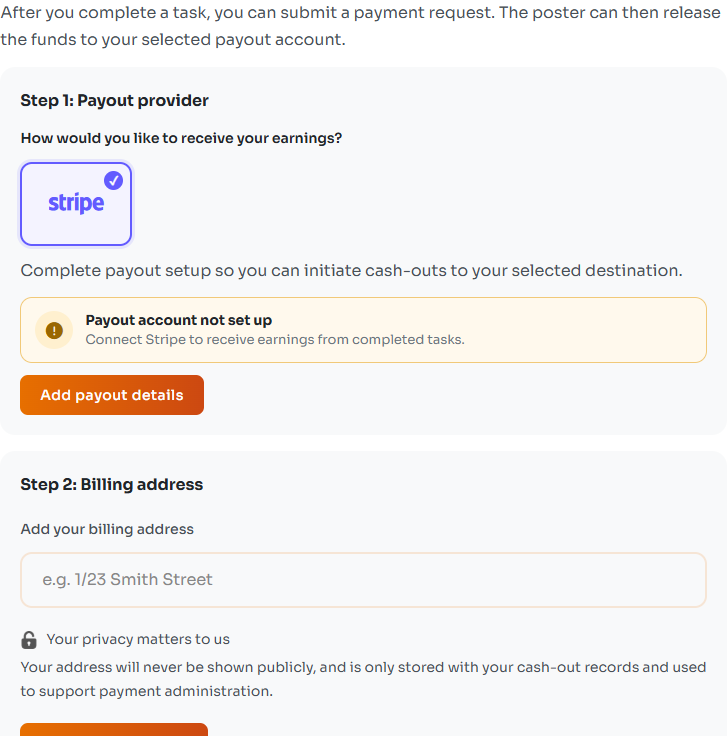
Payment release and bank payouts are separate. Check payout setup and your billing address before cashing out.
A cash-out is delayed or failed
- Check the cash-out status in Payment methods before submitting another request.
- Standard payouts normally take 1-2 business days after acceptance, but bank processing can take longer.
- Instant payouts require an eligible Stripe account and debit card, may incur Stripe fees, and may fall back to Standard.
- Check whether Stripe is asking you to update payout or identity information.
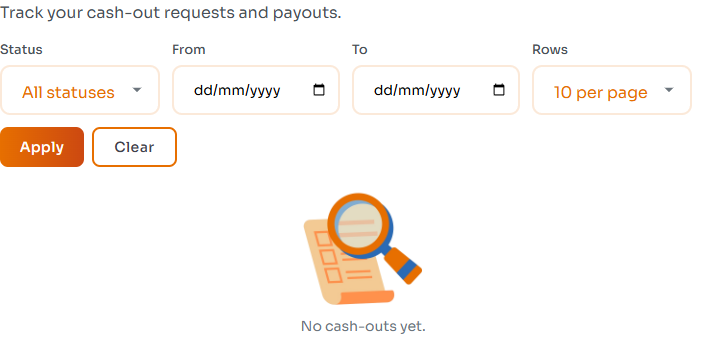
Check Cash out history before retrying a request. This example account has no cash-outs yet.
The Poster believes the amount is wrong
- Compare the payment with the accepted offer and the fees shown at checkout.
- Check whether a refund, cancellation, or dispute changed the final amount.
- If the figures still appear wrong, contact support with the task ID, expected amount, actual amount, and receipt or screenshot.
A payment is Disputed
Do not arrange a separate off-platform payment or refund. Keep communication in task chat and provide support with the accepted scope, message timeline, receipts, and before-and-after evidence. The payment may remain unavailable while the dispute is reviewed.
A payment is Refunded
Review the task and payment history for the refund outcome. Depending on the original payment route and outcome, the amount may appear as returned credit or be sent back through the applicable payment process. Bank or card processing times can vary.
Contact support
Include your account email, task ID, whether you are the Poster or Worker, the displayed status, relevant dates and amounts, and screenshots of any error. Never send your password, full card details, authenticator code, or recovery codes.
See also: How payments work on SpotOnTask.